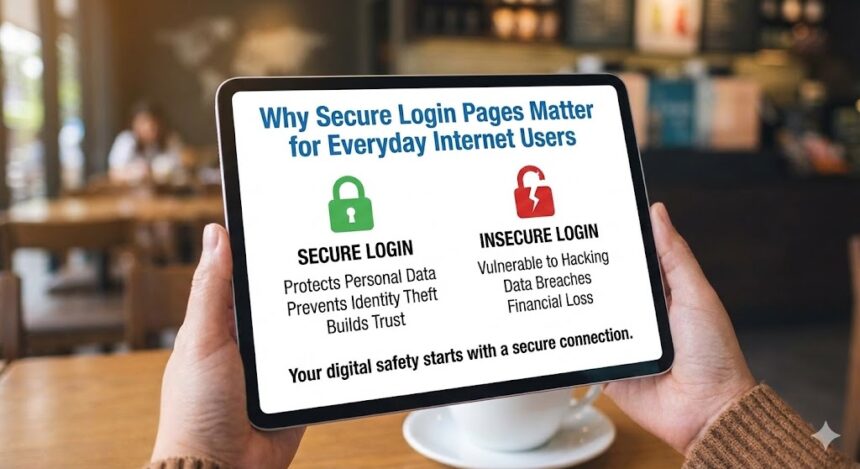
In the digital age, our lives are increasingly managed through a series of gates: login pages. From checking our bank accounts and reading emails to connecting with friends and managing our work, we type our credentials into login forms dozens of times a week, often without a second thought. Yet, this routine act is the single most critical point of vulnerability for the average person online. The security of these login pages is not just a technical concern for IT departments; it is the foundational barrier between your private information and the vast, opportunistic landscape of cybercrime. Understanding why secure login pages matter is the first and most crucial step in taking control of your digital safety.
This guide will demystify the importance of secure login processes, explain the threats lurking behind insecure ones, and empower you with the knowledge to protect yourself, making your everyday internet use safer and more secure.
The Front Door to Your Digital Identity: What is a Login Page?
A login page, often called an authentication page, is the digital checkpoint where a website or application verifies your identity. It typically consists of a field for a username (often your email address) and a password. When you click “Sign In,” the information you provide is compared against stored credentials in the service’s database. If they match, you are granted access to your personal account space.
However, not all login pages are created equal. A secure login page employs multiple layers of technology and best practices to ensure that this verification process happens safely, keeping your credentials confidential and thwarting interception attempts.
The High Stakes: What’s Really at Risk?
To understand the importance of security, we must first comprehend what we stand to lose. An insecure login page is like leaving your house key under the doormat; it’s only a matter of time before someone finds it.
-
Financial Ruin: Compromised banking, credit card, or investment accounts can lead to direct theft, fraudulent transactions, and emptied savings.
-
Identity Theft: With access to your email, social media, or government portals, criminals can assume your identity to open new lines of credit, file fraudulent tax returns, or commit crimes in your name—a nightmare that can take years to resolve.
-
Personal and Reputational Harm: Hackers can leak private photos, messages, and emails. They can hijack your social accounts to scam your friends and family or damage your professional reputation.
-
Data Loss Forever: Cloud storage accounts hold a lifetime of photos, documents, and memories. Losing access can mean losing them permanently.
-
Ripple Effects: A breach on one site often leads to breaches on others, as many people reuse passwords. One weak login can unlock your entire digital life.
Common Threats Targeting Login Pages
Cybercriminals use a variety of sophisticated methods to exploit weak login security. Here are the most prevalent threats:
1. Phishing Attacks
This is a form of social engineering where attackers create fake but convincing copies of legitimate login pages (e.g., from your bank, PayPal, or Netflix). They lure you via email, text, or social media to enter your credentials, which are harvested directly by the criminal.
2. Credential Stuffing
Attackers use vast lists of usernames and passwords leaked from previous data breaches on other sites. They use automated bots to try these combinations on thousands of other websites, banking on the fact that people reuse passwords.
3. Man-in-the-Middle (MitM) Attacks
On unsecured networks (like public Wi-Fi), a hacker can intercept the data traveling between your device and the website’s server. If the login page does not use proper encryption, your username and password can be captured in plain text.
4. Brute Force Attacks
Using automated software, attackers try thousands of common password combinations (like “password123” or “admin”) to guess your login credentials.
5. Keyloggers and Malware
Malicious software installed on your device can record every keystroke you make, including your login credentials, and send them to a remote attacker.
The Pillars of a Secure Login Page: What to Look For
As a user, you can and should actively assess the security of the login pages you use. Here are the key technical and visual indicators of a secure login page:
A. HTTPS and the Padlock Symbol
This is the most fundamental security feature. Before entering any sensitive information, ensure the website’s URL begins with https:// (not http://) and that a padlock icon is displayed in the browser’s address bar.
-
What it means: The ‘S’ stands for ‘Secure.’ It indicates that the connection between your browser and the website is encrypted using the SSL/TLS protocol. This encryption scrambles the data you send (like your password), making it unreadable to anyone who might intercept it.
B. Multi-Factor Authentication (MFA) or Two-Factor Authentication (2FA)
This is arguably the most effective security enhancement available to everyday users.
-
How it works: After entering your correct password, you are required to provide a second, independent form of verification. This is typically:
-
A code sent via SMS to your phone.
-
A code generated by an authenticator app (like Google Authenticator or Authy).
-
A biometric check (fingerprint or facial recognition).
-
-
Why it matters: Even if a hacker steals your password, they cannot log in without this second factor, which is physically in your possession.
C. Strong Password Policies
A secure login system will encourage or enforce the creation of strong passwords.
-
Look for: Requirements for a minimum length (e.g., 12 characters), a mix of uppercase, lowercase, numbers, and symbols. It should also check new passwords against databases of known, compromised passwords.
D. Rate Limiting and Account Lockout
These are defenses against brute force attacks.
-
Rate Limiting: Slows down the login process after a certain number of failed attempts.
-
Account Lockout: Temporarily disables an account after a defined number of consecutive failed logins, requiring a manual reset via email.
E. Informed Security Notifications
A trustworthy service will keep you informed about the security of your account.
-
You should receive: Alerts for logins from new devices or locations, notifications of password changes, and confirmation emails when 2FA is set up.
A Comparative Look: Secure vs. Insecure Login Practices
The table below summarizes the critical differences you might encounter:
| Feature | Secure Login Page | Insecure Login Page |
|---|---|---|
| Connection | Uses HTTPS (Padlock in URL bar) | Uses HTTP (No padlock, may show “Not Secure”) |
| Password Field | Masks input (shows dots) and allows paste from password managers. | May show plain text or have very weak masking. |
| 2FA/MFA | Offered and strongly encouraged as an option. | Unavailable or buried in hard-to-find settings. |
| Login Feedback | Generic error messages (e.g., “Invalid username or password”) are used to avoid revealing which is wrong. | Specific errors (e.g., “Incorrect password” or “Username not found”) that help attackers. |
| Post-Login | Shows details of last login (time, device, location). | No security history or activity logs provided. |
| Privacy | Has a clear, accessible privacy policy. | No clear privacy policy or one that claims excessive data rights. |
Your Responsibility: Building Safe Login Habits
Security is a shared responsibility. While service providers must build secure login pages, you must also practice safe habits.
-
Use a Password Manager: This is non-negotiable for modern security. A password manager generates, stores, and auto-fills complex, unique passwords for every site you use. You only need to remember one master password. It eliminates password reuse and makes you immune to credential stuffing attacks.
-
Always Enable 2FA: Wherever it is offered, turn it on. Prefer an authenticator app over SMS if possible, as SIM-swapping attacks can intercept texts.
-
Be a Phishing Detective: Hover over links in emails to see the true destination URL. Never log in via a link sent in an unsolicited email. Go directly to the website by typing the address yourself.
-
Check for HTTPS: Make it a habit. If there’s no padlock, do not enter any personal information.
-
Keep Software Updated: Ensure your browser, operating system, and antivirus software are always up-to-date. Updates often contain critical security patches.
-
Use Secure Networks: Avoid logging into sensitive accounts (bank, email) on public Wi-Fi. If necessary, use a reputable Virtual Private Network (VPN) to encrypt your connection.
The Bigger Picture: Trust, Privacy, and Digital Society
The integrity of secure login pages extends beyond individual safety; it underpins trust in our digital economy and society. When users lose faith in the security of online platforms, engagement plummets, and innovation stalls. Robust login security protects not just data, but also the reputation of businesses and the privacy rights of individuals.
Regulatory frameworks like the General Data Protection Regulation (GDPR) in Europe legally obligate organizations to implement appropriate technical measures, including secure authentication, to protect user data. Failure to do so can result in massive fines, highlighting how seriously this issue is now taken at a legislative level. For further reading on cybersecurity best practices for organizations, you can refer to resources from the National Institute of Standards and Technology (NIST) https://www.nist.gov/cyberframework and educational materials from institutions like Carnegie Mellon University’s CERT Division https://insights.sei.cmu.edu/library/cert-resilience-management-model-cert-rmm/.
Conclusion: Your Security is in Your Hands
The humble login page is the guardian of your digital castle. While the technical complexities of building secure login pages fall to developers and companies, the power to use them wisely rests with you. By understanding the risks, recognizing the signs of security, and adopting vigilant habits—like using a password manager and enabling two-factor authentication—you transform from a passive user into an active defender of your digital identity.
Start today. Audit the security of your most important accounts. Enable 2FA on your email and financial logins. Make the shift to a password manager. In the ongoing battle for cybersecurity, knowledge and proactive action are your strongest allies. For more insights on navigating the digital world safely, be sure to explore the other resources available here on Inspirationfeed.