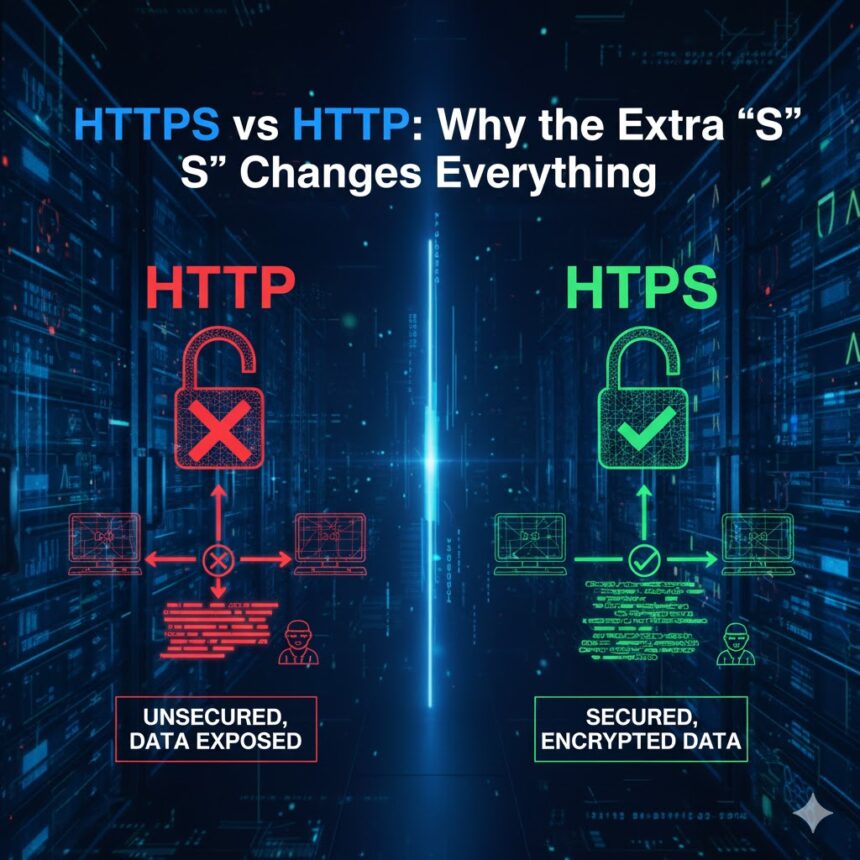
In the digital landscape, where data is the new currency, the protocols that govern how information travels between your browser and a website are foundational. You’ve undoubtedly noticed the http:// or https:// prefix in your address bar, perhaps alongside a padlock icon. This isn’t mere technical decoration. That single letter ‘S’ represents a seismic shift in security, privacy, and performance. Understanding the difference between HTTPS vs HTTP is no longer just for developers; it’s crucial for every website owner, blogger, and internet user.
This comprehensive guide will demystify these protocols, explore why HTTPS has become non-negotiable, and provide you with the knowledge to ensure your online presence is secure, trusted, and optimized for success.
Understanding the Foundation: What is HTTP?
To appreciate HTTPS, we must first understand its predecessor.
Hypertext Transfer Protocol (HTTP) is the fundamental set of rules used for transferring data over the web. Developed in the early 1990s, it forms the backbone of any data exchange on the World Wide Web. It operates as a request-response protocol between a client (your web browser) and a server (where a website lives).
How HTTP Works: A Simple Analogy
Think of sending a postcard via traditional mail.
-
You write a message (a request for a webpage).
-
You drop it in a mailbox (your browser sends it).
-
The postal service carries it to its destination (the request travels across the internet).
-
The recipient reads it and sends a postcard back (the server responds with the webpage data).
The critical flaw: Anyone who handles the postcard—postal workers, anyone at the sorting office—can read its contents. There is no privacy.
Key Characteristics of HTTP:
-
Stateless: Each request-response pair is independent. The server doesn’t remember previous requests.
-
Unencrypted: Data is transmitted in plain text. This includes form submissions, passwords, credit card numbers, and search queries.
-
Uses Port 80 by default.
-
Fast, but inherently insecure for sensitive transactions.
The inherent lack of security in HTTP became the internet’s Achilles’ heel as online banking, shopping, and communication evolved.
The Evolution: What is HTTPS?
HTTPS stands for Hypertext Transfer Protocol Secure. It is not a separate protocol but rather HTTP layered with a critical security wrapper.
HTTPS uses Transport Layer Security (TLS), or its predecessor Secure Sockets Layer (SSL), to encrypt all communication between the browser and the server. This encryption transforms readable data into an indecipherable format during transit, which can only be unlocked by the intended recipient with the correct key.
How HTTPS Works: The Secure Envelope Analogy
Returning to our mail analogy, HTTPS is like sending your message in a tamper-proof, locked security box.
-
You write your message and place it in a unique box that only your recipient can open (encryption).
-
You send the box.
-
Intermediaries can see it’s being sent, but they cannot see its contents or alter the box without detection.
-
The recipient uses their unique key to open the box and read the message (decryption).
Key Characteristics of HTTPS:
-
Encryption: Uses TLS/SSL to encrypt data, protecting it from eavesdroppers.
-
Authentication: Proves that your browser is communicating with the intended website and not an impostor, using an SSL Certificate issued by a trusted Certificate Authority (CA).
-
Data Integrity: Ensures that the data sent is not tampered with or corrupted during transfer.
-
Uses Port 443 by default.
-
Builds User Trust: Signified by the padlock icon in the address bar.
The Core Difference: A Side-by-Side Comparison
The table below summarizes the fundamental distinctions in the HTTPS vs HTTP debate.
| Feature | HTTP | HTTPS |
|---|---|---|
| Protocol | Hypertext Transfer Protocol | Hypertext Transfer Protocol Secure |
| Security | No encryption. Data is sent in plain text. | Encrypted using TLS/SSL protocols. |
| Port | Defaults to port 80. | Defaults to port 443. |
| SSL Certificate | Not required. | Required to establish a secure connection. |
| Data Integrity | Data can be easily altered or corrupted in transit. | Data integrity is protected; tampering is detectable. |
| Authentication | Does not verify the identity of the server. | Authenticates the website via the SSL Certificate. |
| SEO Impact | Negative; Google explicitly favors HTTPS sites. | Positive ranking signal. Essential for modern SEO. |
| User Trust | Low. Browsers mark it as “Not Secure”. | High. Displays padlock icon and “Secure” label. |
| Speed | Slightly faster on a basic level, but lacks modern performance advantages. | Slightly slower in pure handshake terms, but enables HTTP/2 for much faster overall performance. |
| Use Case | Suitable only for informational, non-sensitive sites (and even this is now deprecated). | Mandatory for all websites, especially those handling logins, payments, or personal data. |
Why the “S” Changes Everything: The Multifaceted Benefits of HTTPS
Migrating from HTTP to HTTPS is not a minor upgrade; it’s a complete transformation of your website’s posture. Here’s why that extra letter is so powerful.
1. Data Security and User Privacy
This is the primary and most critical function.
-
Protects User Data: Encrypts login credentials, personal information, credit card details, and form submissions. This prevents “man-in-the-middle” attacks where hackers intercept data.
-
Safeguards Browsing History: Even pages viewed on a site remain private, protecting user anonymity.
-
Secures Against Eavesdropping: On unsecured public Wi-Fi (e.g., cafes, airports), HTTP traffic is extremely vulnerable. HTTPS makes browsing safe even on open networks.
2. Authentication and Building Trust
HTTPS does more than just hide data; it verifies identity.
-
SSL Certificate Validation: To get an HTTPS certificate, the website owner must undergo validation by a Certificate Authority. This verifies that the entity operating the site is legitimate.
-
Visual Trust Signals: The padlock icon and “Secure” label in the browser address bar are universally recognized symbols of safety. Their absence (or a “Not Secure” warning) directly erodes user confidence and increases bounce rates.
-
Protection from Phishing: It is significantly harder for malicious actors to create a spoofed version of an HTTPS site, as they cannot easily obtain a valid certificate for a domain they do not own.
3. Search Engine Optimization (SEO) Advantages
Google has been a staunch advocate for a secure web. Since 2014, HTTPS has been a confirmed ranking signal. The SEO benefits are substantial:
-
Direct Ranking Boost: Websites using HTTPS receive a small but meaningful ranking advantage over their HTTP counterparts, all else being equal.
-
Referral Data Preservation: When traffic passes from an HTTPS site to another HTTPS site, the referral information in analytics is preserved. Traffic from an HTTPS site to an HTTP site is logged as “direct traffic,” obscuring your marketing insights.
-
Prerequisite for Modern Web Tech: Many powerful web features and APIs (like Geolocation, Service Workers for PWAs, and HTTP/2) require HTTPS. By not switching, you lock yourself out of performance and functionality benefits that indirectly influence SEO.
-
Avoiding Negative Labels: Modern browsers like Chrome explicitly label HTTP pages as “Not Secure.” This dramatically increases bounce rates, which is a negative user experience signal that search engines penalize.
4. Performance and Modern Capabilities
Contrary to old myths, HTTPS can be faster than HTTP.
-
HTTP/2 Protocol: This major revision of the HTTP protocol offers significant performance enhancements like multiplexing, server push, and header compression. Most browsers only support HTTP/2 over HTTPS. This means an HTTPS site can load resources more efficiently than an HTTP site stuck on the older protocol.
-
Performance Table: HTTP/1.1 over HTTPS vs HTTP/2 over HTTPS
| Aspect | HTTP/1.1 (with HTTPS) | HTTP/2 (requires HTTPS) |
|---|---|---|
| Connections | Multiple TCP connections are needed. | Single connection multiplexes many streams. |
| Header Data | Uncompressed, repeated with each request. | Uses HPACK compression, drastically reducing overhead. |
| Resource Loading | Linear, often blocking. | Parallel and non-blocking. |
| Server Initiation | The client must request all assets. | The server can “push” resources it knows the client will need. |
5. Compliance and Future-Proofing
-
Regulatory Requirements: Standards like the PCI DSS (Payment Card Industry Data Security Standard) mandate the use of strong encryption for any site that handles credit card information. HTTPS is non-negotiable for e-commerce.
-
Browser Enforcement: Major browsers are increasingly restricting features for HTTP sites and making warnings more prominent. The future of the web is secure by default.
-
User Expectations: Today’s consumers are more savvy. They expect security. A site without the padlock is increasingly perceived as unprofessional, negligent, or risky.
Implementing HTTPS on Your Website: A Practical Guide
Making the switch is essential. Here is a streamlined process:
-
Purchase an SSL/TLS Certificate: Obtain one from a reputable Certificate Authority (CA) like Let’s Encrypt (free), DigiCert, or Sectigo. Many web hosts provide them for free or as part of hosting packages.
-
Install and Configure the Certificate: This is typically done via your web hosting control panel (e.g., cPanel). Your hosting provider can often assist with this.
-
Update Your Website Internal Links: Ensure all internal links (images, scripts, stylesheets) use relative paths (
/assets/image.jpg) orhttps://URLs. Avoid “mixed content” where the main page is HTTPS but loads resources over HTTP. -
Implement 301 Redirects: Set up permanent (301) redirects from all HTTP pages and URLs to their HTTPS counterparts. This is crucial for preserving your SEO equity. This is often done via the
.htaccessfile on Apache servers. -
Update External Tools: Change the URLs in Google Search Console, Google Analytics, and any other webmaster tools. Submit your new HTTPS sitemap.
-
Test Thoroughly: Use tools like SSL Labs’ SSL Test to check your configuration. Verify all redirects are working and that no mixed content warnings appear in your browser’s developer console.
Addressing Common Myths and Concerns
-
Myth: HTTPS is only for e-commerce sites.
Reality: Every website, including blogs and static brochure sites, benefits from and should use HTTPS. It protects user privacy, provides authentication, and is required for SEO. -
Myth: HTTPS is too slow and hurts performance.
Reality: The initial SSL handshake adds minimal latency. This is overwhelmingly offset by the ability to use HTTP/2, which provides major speed improvements. The security and SEO benefits far outweigh any negligible computational overhead. -
Myth: SSL Certificates are expensive and complex.
Reality: Services like Let’s Encrypt provide free, automated, and renewable certificates. Many hosts now offer free SSL installation with a single click. -
Concern: Switching will hurt my SEO.
Reality: If done correctly with 301 redirects and updated sitemaps, the transition has minimal long-term negative impact. In fact, the ranking boost and preservation of referral data will provide a net positive. Google itself provides extensive guidance on site migrations.
Conclusion: The “S” is No Longer Optional
The journey from HTTP to HTTPS is the digital equivalent of moving from a vulnerable open market to a secure, trusted, and efficient establishment. The extra “S” changes everything:
-
It protects your users from having their data stolen.
-
It authenticates your website, proving you are who you say you are.
-
It builds immediate visual trust with every visitor.
-
It empowers your site with modern performance technologies.
-
It signals to search engines that you are a serious, secure player, aiding your visibility.
In 2023 and beyond, HTTPS is the absolute baseline for any website that values its visitors, its reputation, and its success online. It is a fundamental component of Experience, Expertise, Authoritativeness, and Trustworthiness (E-A-T)—qualities that both users and search engines reward. There is no justification for operating on the deprecated HTTP protocol. The transition is straightforward, the costs are minimal, and the benefits are profound. Secure your site today; your users—and your Google rankings—will thank you.
For more insights on building a secure and authoritative online presence, explore the resources available at Inspirationfeed.
External Resources for Further Reading:
-
The Chromium Projects: Moving Towards a More Secure Web – A .org resource detailing browser security initiatives.
-
National Institute of Standards and Technology (NIST) Guidelines on TLS – A .gov authority on encryption standards.
-
Google Search Central: HTTPS as a Ranking Signal – Official documentation from the industry leader on SEO and security.